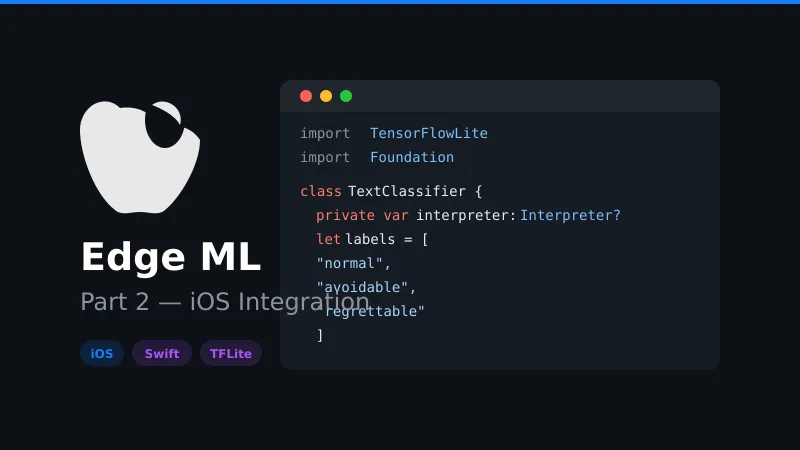
Part 2 — Using Edge ML in iOS: Building a Smart Savings App with Transaction Text Classification
iOS Implementation with TensorFlow Lite
This section demonstrates integrating the trained TensorFlow Lite model into an iOS application using Swift.
Project Setup
Add TensorFlow Lite dependency to your iOS project (I couldn’t find a working SPM 🤷)
Using CocoaPods:
pod 'TensorFlowLiteSwift'Using Swift Package Manager:
https://github.com/tensorflow/tensorflow/tree/master/tensorflow/lite/swiftModel Integration Class
Create a text classification service class and import the vocabulary from previous part.
import TensorFlowLite
import Foundation

class TextClassifier {
    private var interpreter: Interpreter?
    private let inputTensorIndex = 0
    private let outputTensorIndex = 0
    private let labels = ["normal", "avoidable", "regrettable"]
    private var vocabulary: [String: Int] = [:]

    init(modelPath: String) throws {
        do {
            guard let modelURL = Bundle.main.url(forResource: modelPath, withExtension: "tflite") else {
                fatalError("Model file not found.")
            }
            vocabulary = loadVocabulary()

            let modelPath = modelURL.path
            interpreter = try Interpreter(modelPath: modelPath)
            try interpreter?.allocateTensors()
        } catch {
            print("Error loading TFLite model: \(error)")
        }
    }

    private func loadVocabulary() -> [String: Int] {
        guard let path = Bundle.main.path(forResource: "vocabulary", ofType: "json"),
              let data = NSData(contentsOfFile: path) else {
            print("Failed to load vocabulary.json")
            return [:]
        }

        do {
            let json = try JSONSerialization.jsonObject(with: data as Data, options: [])
            return json as? [String: Int] ?? [:]
        } catch {
            print("Error parsing vocabulary: \(error)")
            return [:]
        }
    }
}
Text Preprocessing Implementation
Preprocess the incoming text — we are trying to convert the incoming text in same format as our training text.
    private func preprocessText(_ text: String) -> [Float32] {
        let maxSequenceLength = 20
        let lowercaseText = text.lowercased()
        let cleanedText = lowercaseText.replacingOccurrences(of: "[^a-z0-9\\s]", with: " ", options: .regularExpression)
        let tokens = cleanedText.components(separatedBy: .whitespacesAndNewlines).filter { !$0.isEmpty }

        var tokenIds: [Float32] = []

        for token in tokens {
            if let tokenId = vocabulary[token] {
                tokenIds.append(Float32(tokenId))
            } else {
                tokenIds.append(1.0)
            }
        }

        // Pad or truncate to exact sequence length
        if tokenIds.count < maxSequenceLength {
            tokenIds.append(contentsOf: Array(repeating: 0.0, count: maxSequenceLength - tokenIds.count))
        } else if tokenIds.count > maxSequenceLength {
            tokenIds = Array(tokenIds.prefix(maxSequenceLength))
        }

        print("Token IDs (Float32): \(tokenIds)")
        return tokenIds
    }

    private func normalizeTransactionText(_ text: String) -> String {
        var normalized = text.lowercased()
        normalized = normalized.replacingOccurrences(of: " - chf ", with: " chf ")
        normalized = normalized.replacingOccurrences(of: "-", with: " ")
        normalized = normalized.replacingOccurrences(of: ".", with: "")
        return normalized
    }
Classify Text
As this is the most important part, I’ll explain in simple terms:
- Convert your text into numbers that the model can understand (called “tokens”).
- Package the numbers into a format the model expects.
- Prepare memory for the model.
- Interpreter classifies and outputs an array of probability scores.
- Find which category has the highest probability and return that label.
    func classify(text: String) throws -> String {
        guard let interpreter = interpreter else {
            throw NSError(domain: "InterpreterError", code: -1, userInfo: [NSLocalizedDescriptionKey: "Interpreter not initialized"])
        }

        let tokenIds = preprocessText(text)

        let inputData = Data(bytes: tokenIds, count: tokenIds.count * MemoryLayout<Float32>.size)

        do {
            try interpreter.allocateTensors()

            try interpreter.copy(inputData, toInputAt: inputTensorIndex)
            try interpreter.invoke()

            let outputTensor = try interpreter.output(at: outputTensorIndex)
            let outputData = [Float32](unsafeData: outputTensor.data)

            print("Probabilities - Normal: \(outputData[0]), Avoidable: \(outputData[1]), Regrettable: \(outputData[2])")

            guard let maxIndex = outputData.indices.max(by: { outputData[$0] < outputData[$1] }) else {
                return "Unknown"
            }

            return labels[maxIndex]
        } catch {
            print("Error details: \(error)")
            throw error
        }
    }
Run the Classifier
Time to run our classifier:
  func runClassifier() -> String? {
        guard let classifier = try? TextClassifier(modelPath: "new_transaction_classifier") else {
            return nil
        }
        guard let result = try? classifier.classify(text: "night bar - chf 25.00") else {
            return nil
        }
        print(result)
        return result
}
We get the below output, implying “night bar” belongs to the regrettable category:
Probabilities - Normal: 0.00022077083, Avoidable: 0.000966673, Regrettable: 0.99881256
regrettable
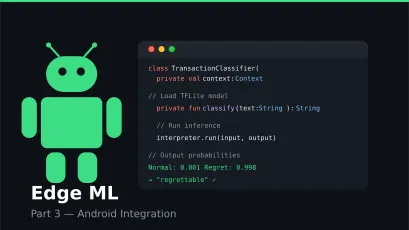
In the final part, we will learn about integrating TFLite in Android.